
The Reactivid product
Reactivid turns structured text into edit ready short form video. Script the narrative, generate voiceover, lock a visual storyboard, and export timelines that drop directly into your editor.
- 1
Scripting
- 2
Voiceover
- 3
Storyboarding
- 4
Exporting




Four core features in one pipeline
Reactivid brings scripting, voiceover, storyboarding, and exporting into a single workflow. Start with structured text, generate narration, review the cut as a storyboard, then export timelines and assets that drop cleanly into your editor.
Scripting that stays structured
Turn ideas into scripts that are consistent, editable, and ready for narration. Reactivid keeps the structure visible so you can reuse formats across series and channels.
- Craft an outline with duration, tone, point of view, and style presets
- Review beats and refine pacing before you write the full script
- Finalize a clean script that flows into voiceover and exports easily
Preview the flow
Choose a step to see the matching screen. If you already have a script, you can go straight to the editor.
Structured scripting tools that keep format and pacing consistent.
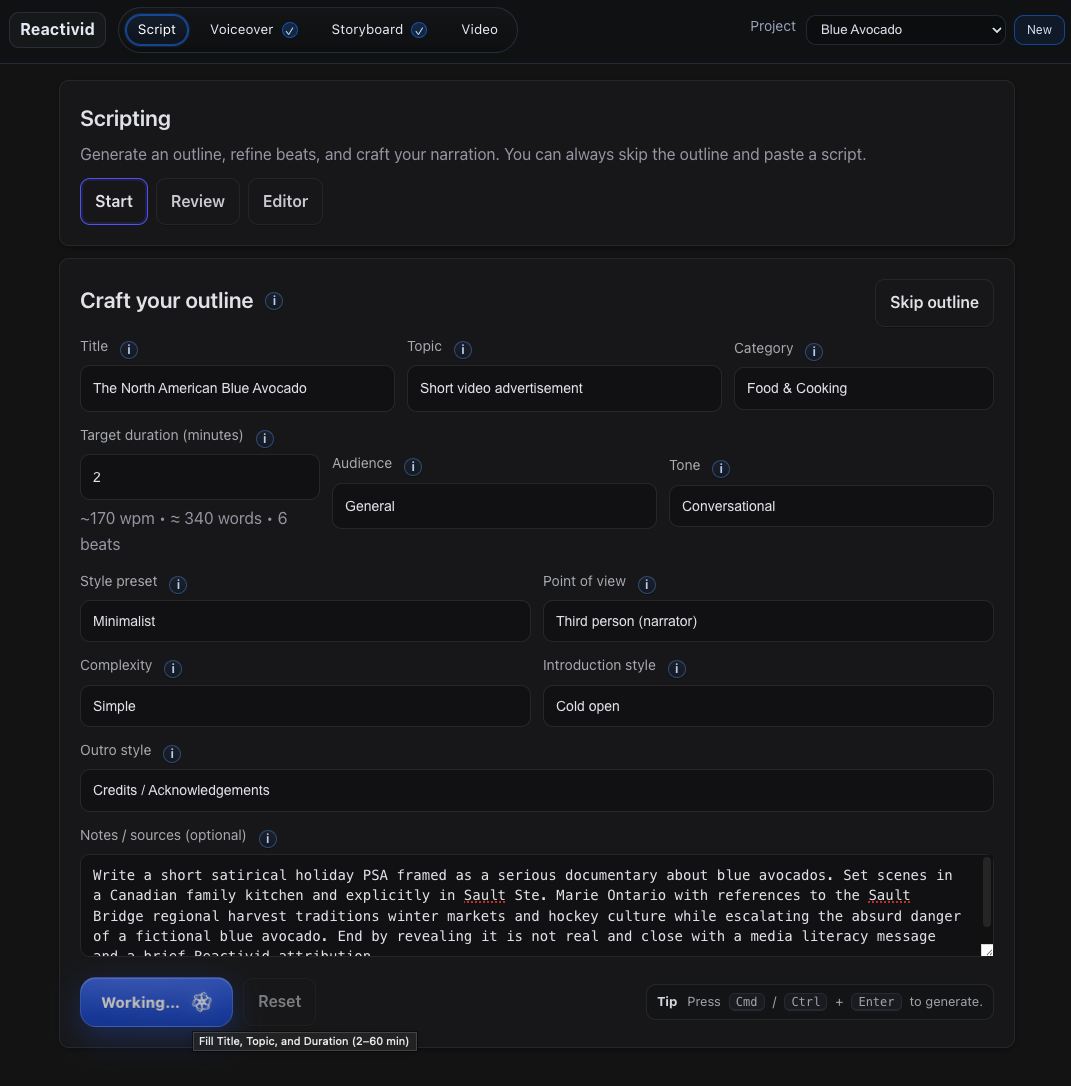
Start with constraints and an outline
Set title, topic, duration, audience, tone, and notes so the workflow stays repeatable. If you already have a script, you can skip this step.
Voiceover that matches your timing
Generate clean voice tracks from your scripts with timing you can trust. Use local voices or API voices and keep outputs tied to the project timeline.
- Generate narration by segment so edits stay controlled
- Keep alignment with captions and timing markers
- Swap voices without rebuilding the whole project
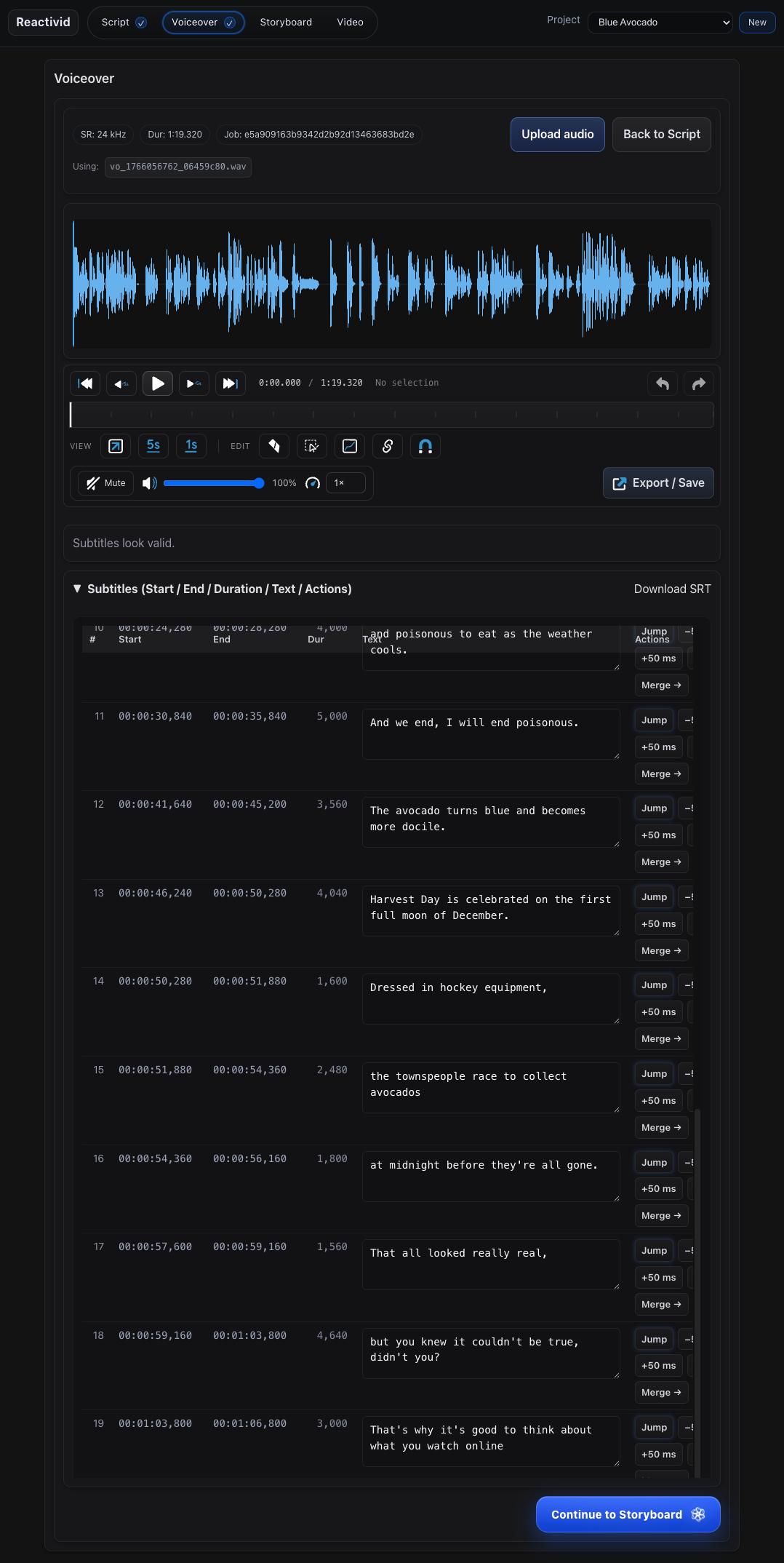
Preview the voiceover workspace
The voice track, waveform, and subtitles live in one place so you can make timing decisions with confidence. When you are happy, export the audio and subtitle artifacts and move forward to storyboard.
Voice generation that stays aligned with your project timing.
Storyboard that makes the cut visible
See the cut before you open an editor. Reactivid aligns narration, captions, and planned visuals into a timeline so decisions happen early.
- Set format, pacing, and safe areas once, then reuse them across a series
- Define visuals, text, overlays, sound, and transitions as structured settings
- Export a clear plan that stays tied to your script and timing
Preview the storyboard steps
Choose a step to see the matching screen. Required steps set the foundation. Optional steps let you tune visuals, text, audio, and motion.
Timeline storyboarding that aligns captions, beats, and planned visuals.
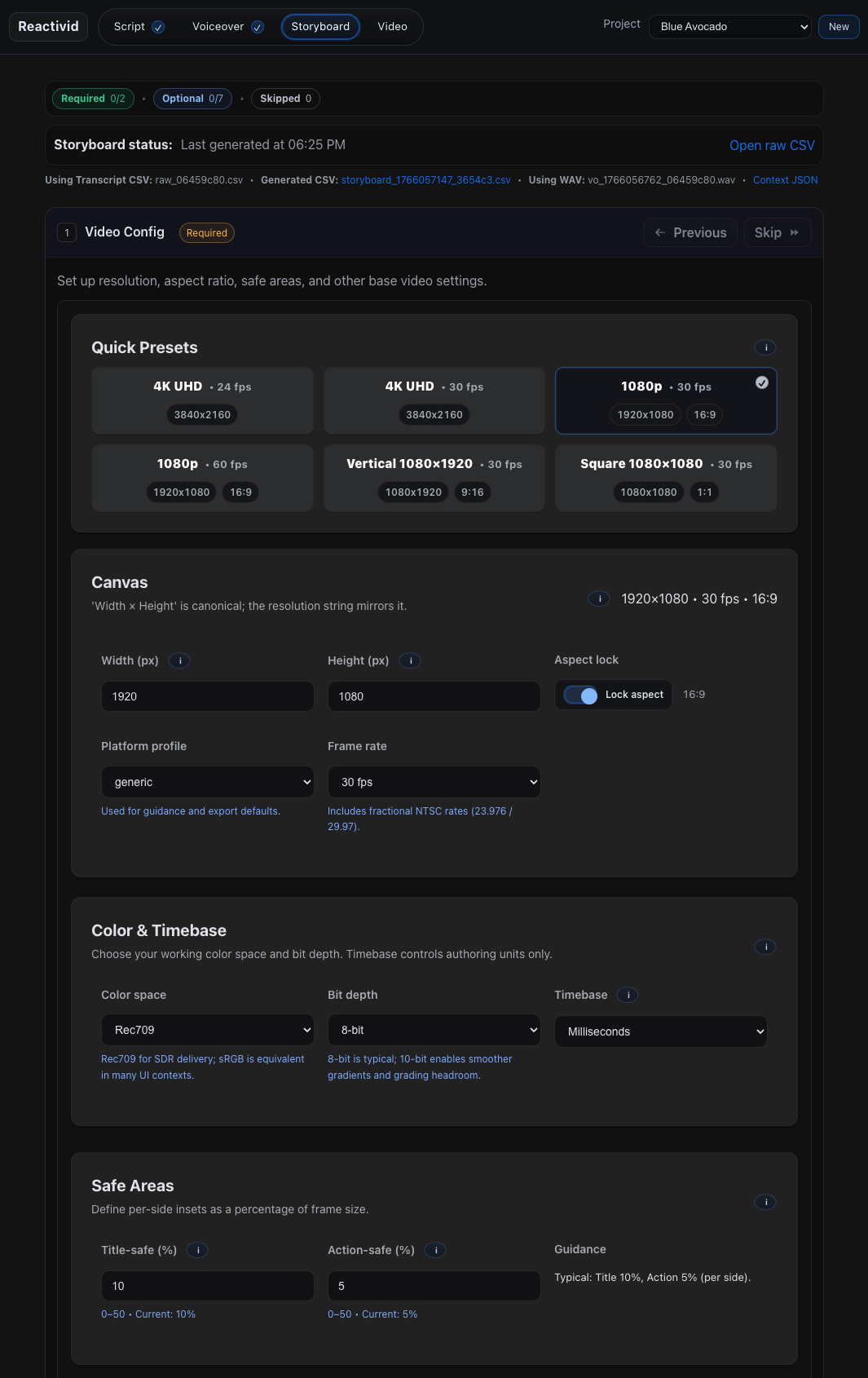
Set the canvas and baseline rules
Pick aspect ratio, output size, and frame rate, then define safe areas and authoring timebase. This becomes the foundation for every downstream step.
Exports that drop into your editor
Generate exports that are deterministic and easy to work with. Reactivid focuses on edit-ready artifacts so the last mile stays fast and repeatable.
- Export timelines and assets designed for common editors
- Keep renders reproducible across versions of a project
- Ship batches with consistent naming and structure
Preview the export workspace
Exports are designed to be mechanical and predictable: the same inputs produce the same outputs. Pull the latest storyboard CSV, include optional context JSON, then generate editor-ready artifacts without rewriting anything by hand.
Deterministic exports that stay portable and editor friendly.
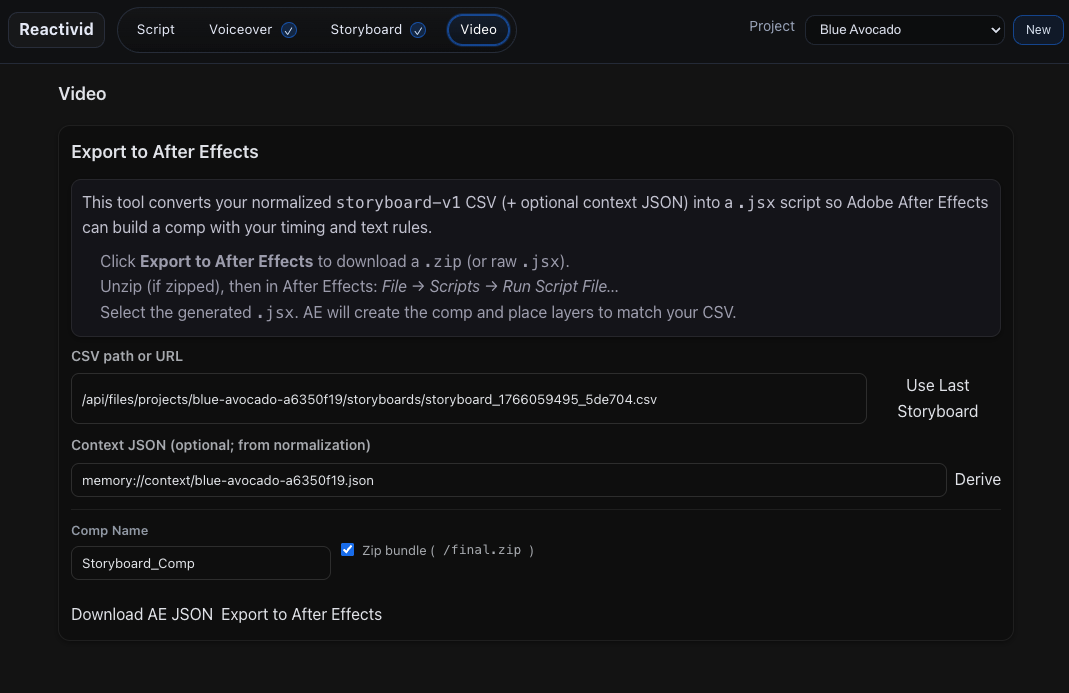
Integrate Reactivid into your workflow
Reactivid helps you generate the assets you need to ship video with less friction. Use it to take a script through voiceover and storyboard, then export clean deliverables you can drop into your existing editing process and publishing routine.
- Scripts you can reuse across formats
- Voiceover tracks with predictable timing
- Storyboards that mirror the cut you want
- Captions and metadata ready for publishing
- Export ready assets for your editor
- A consistent folder of deliverables per project
- SCR
- VOX
- STB
- CAP
- TIM
- EXP
Reactivid is designed to keep the workflow practical. Generate the core assets, review the cut in a storyboard, then export what your team needs to finish and publish with confidence.